
 English
Hướng dẫn lập trình, WIKI-Tài liệu
Hướng dẫn Cài QPYcom và driver Quectel EG800K/EG800AK
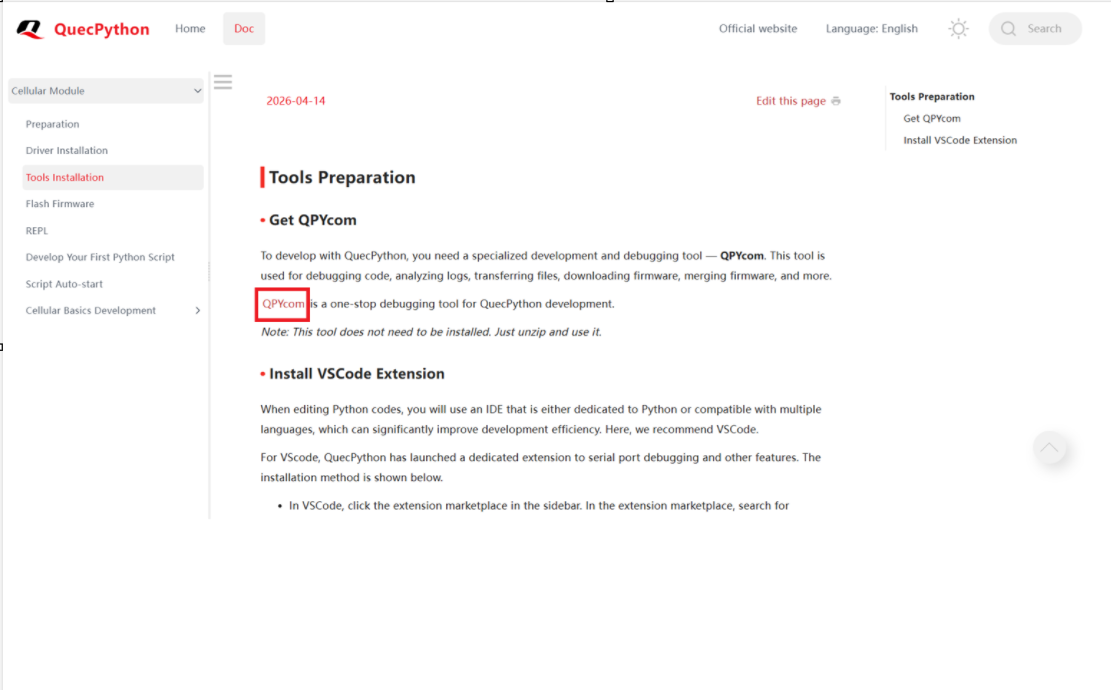
- Tải công cụ chính thức QPYcom từ trang chủ QuecPython và cài đặt driver cho EG800K.
Link cài đặt QPYcom: https://developer.quectel.com/doc/quecpython/Getting_started/en/4G/tools_prepare.html
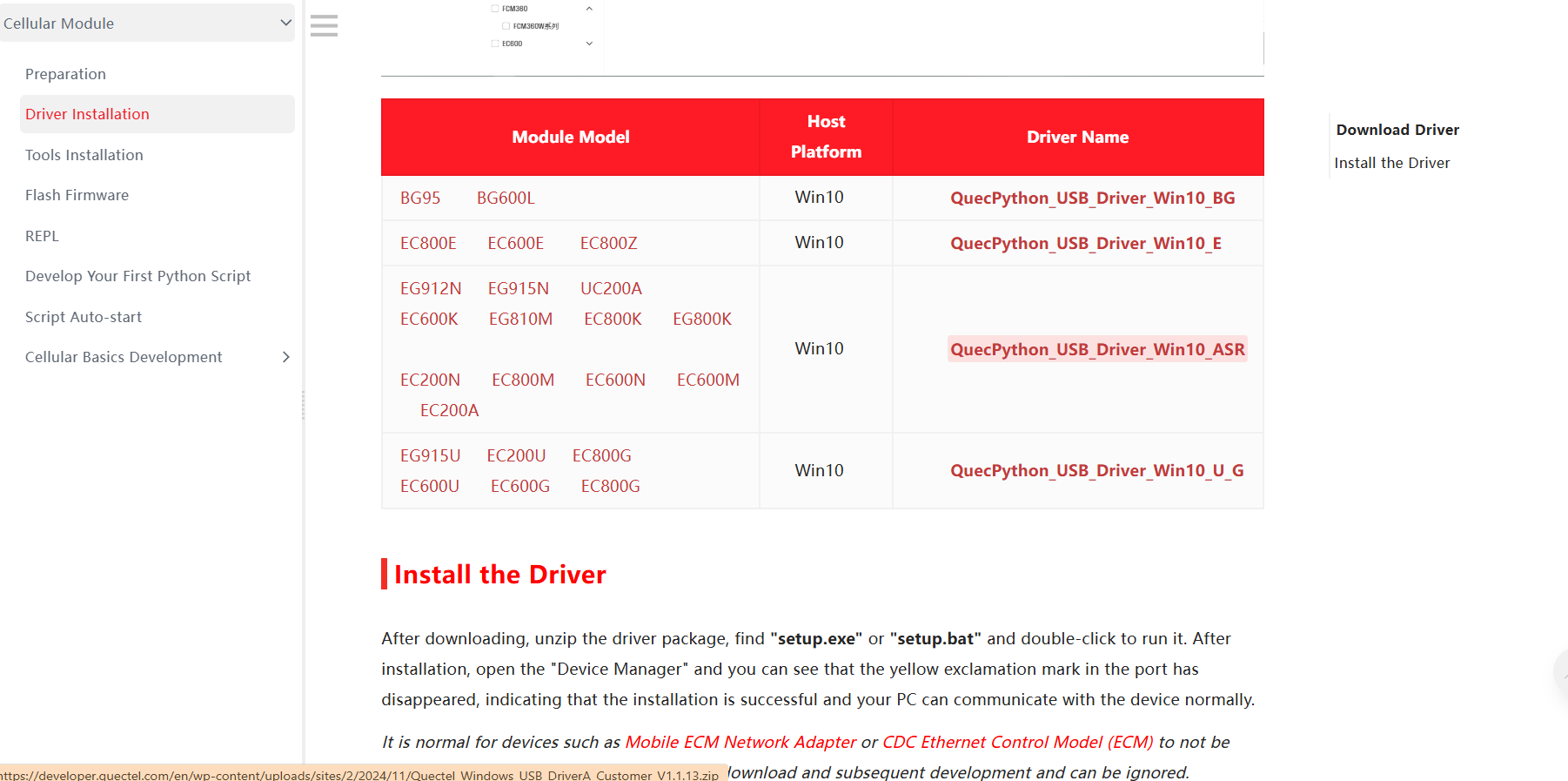
2. Cài đặt driver và thiết lập môi trường cho Quectel EG800K và EG800AK
Link cài đặt driver: https://developer.quectel.com/doc/quecpython/Getting_started/en/4G/driver_prepare.html
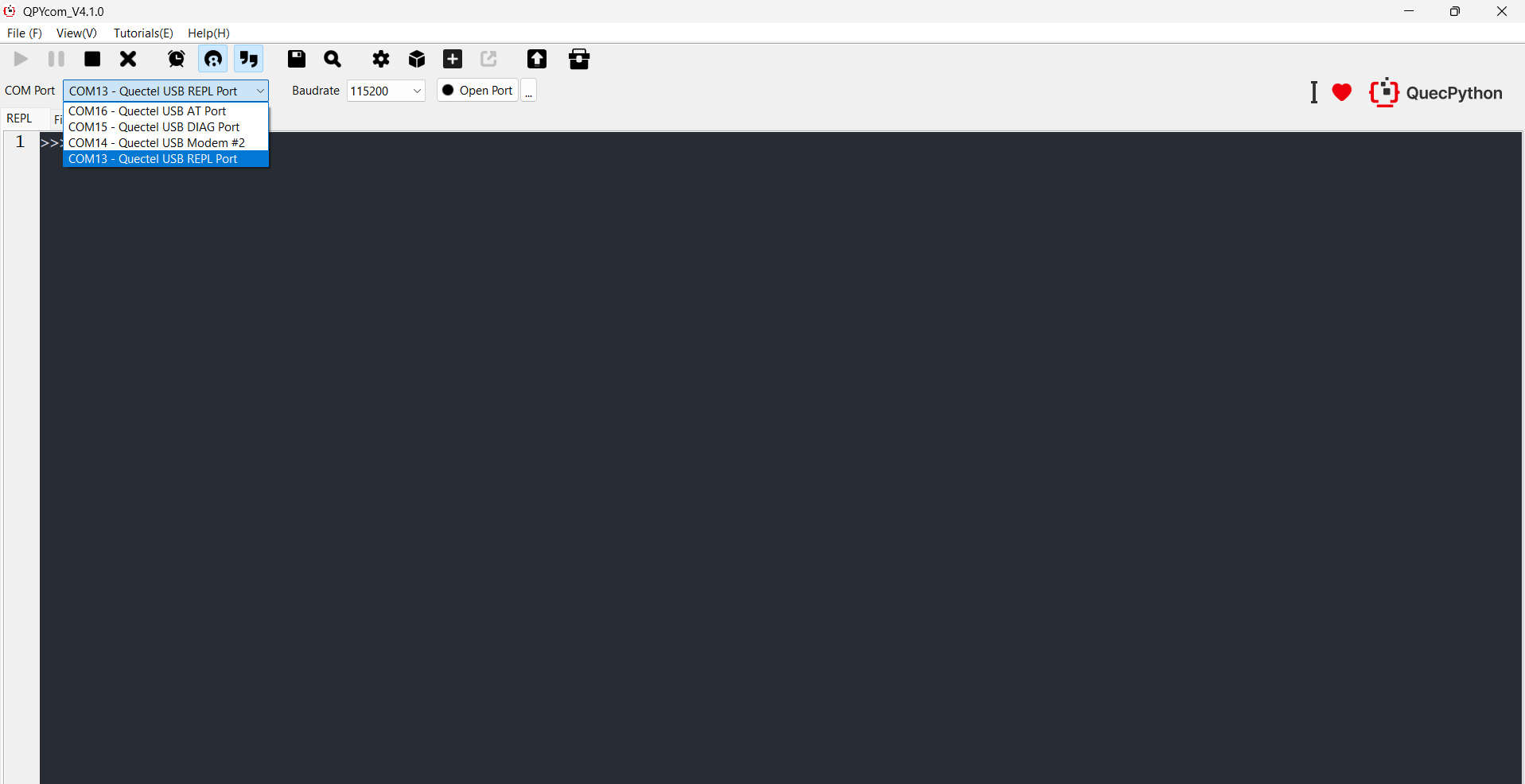
Mở QPYcom, chọn đúng cổng COM – Quectel USB REPL Port(tốc độ baudrate mặc định thường là 115200).
Chuyển sang tab File để quản lý các file .py trên module (thư mục usr/).
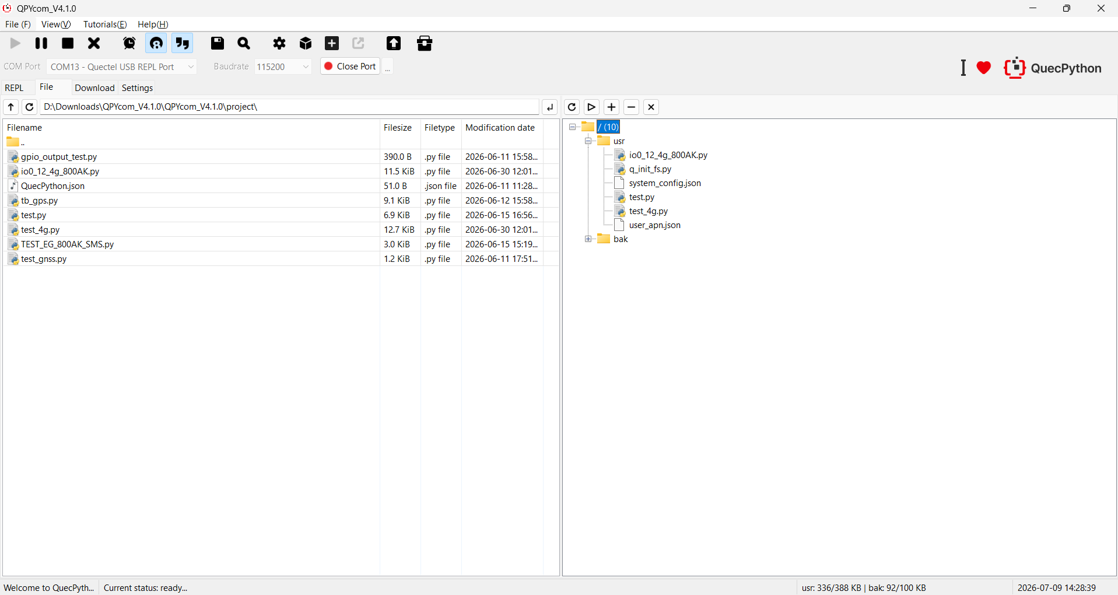
Nhấn Open Port, kéo thả file script Python vào mục usr để chạy script.
