
 English
Nuvoton N76E003AT20 User Manual – MS51FB9AE 8051 MCU
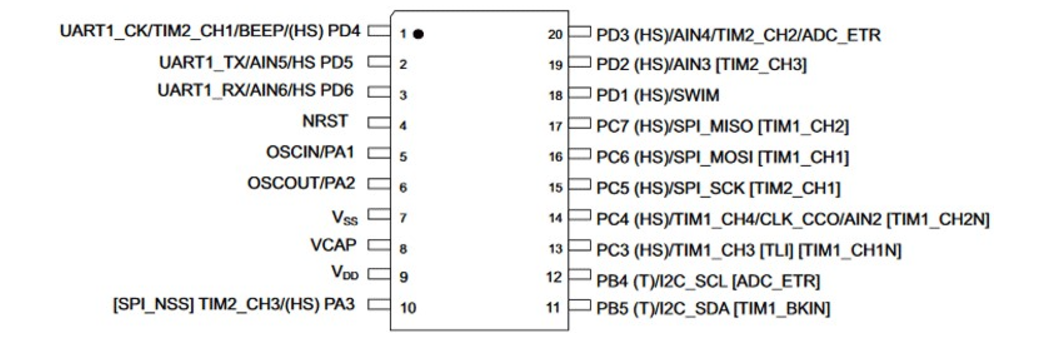
N76E003AT20 and MS51FB9AE are two high-performance 1T-8051 MCUs with peripherals that are virtually compatible with STM8S003F3P6/STM8S103F3P6. Because of this flexibility, some projects can use N76E003AT20/MS51FB9AE to replace STM8. The MS51FB series is a series of microcontrollers that was recently launched to replace the N76E003 series with a number of improvements such as industrial environmental resistance…
1. Pin diagram and comparison of MCU lines
STM8S003F3P6 Pin Diagram
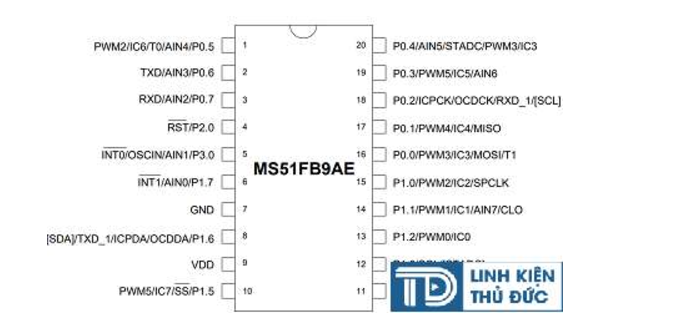
MS51FB9AE Pin Diagram
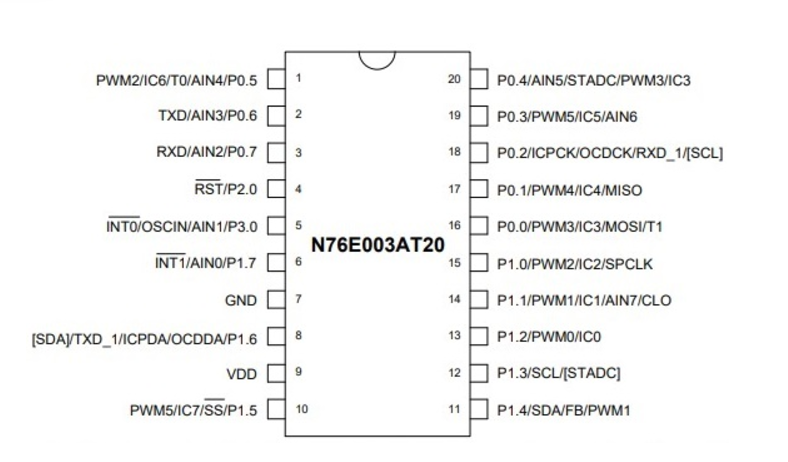
N76E003AT20 Pin Diagram
2. Instructions for installing the tool chain on the window
In this tutorial, I’ll be using the Keil C 8051 IDE and Keil’s C51 compiler (ARM) for the Nuvoton 8051.
Go to the Keil homepage, fill in the information and settings:
After the installation is completed, the default C51 demo complier will have 2K code to build (evaluation).
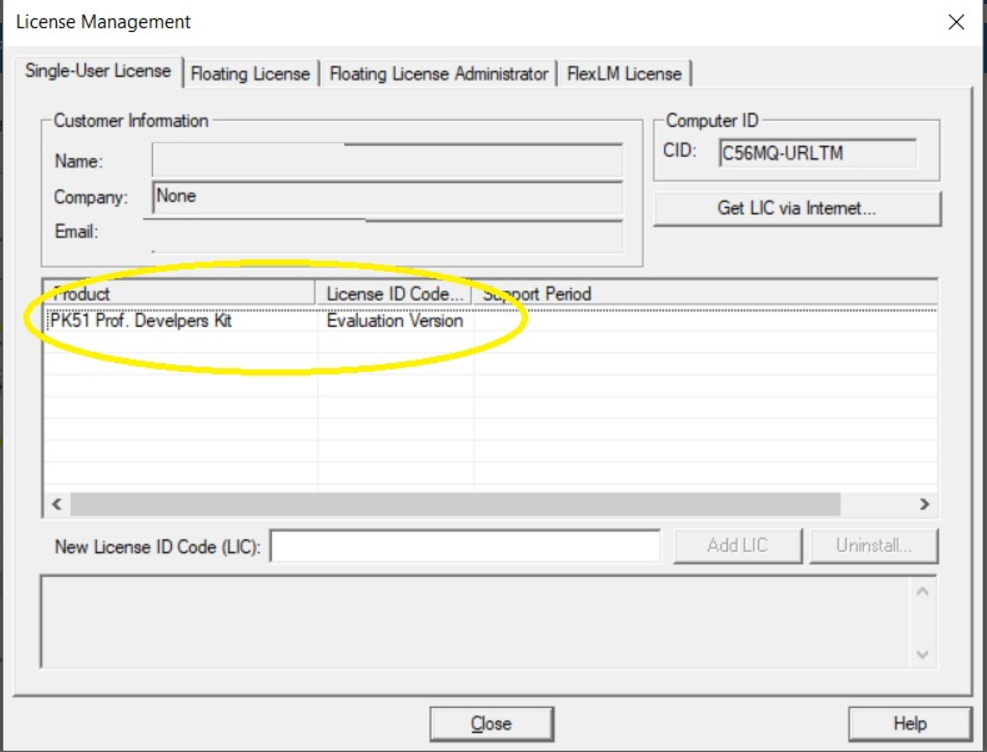
In this tutorial, I’m going to use the demo to build examples.
3. Instructions for downloading the SDK (library and example)
For N76E003
Go to the Nuvoton homepage and download “The Board Support Package (BSP) Keil for N76E003”:
For MS51
Go to the Nuvoton homepage and download “The Board Support Package (BSP) Keil for MS51 Devices”:
4. Install the Driver
Go to the Nuvoton homepage and download:
- Nu-Link_Keil_Driver_V3.05.7174r
- Nu-Link_USB_Driver_V1.7
5. Build sample code and run the sample
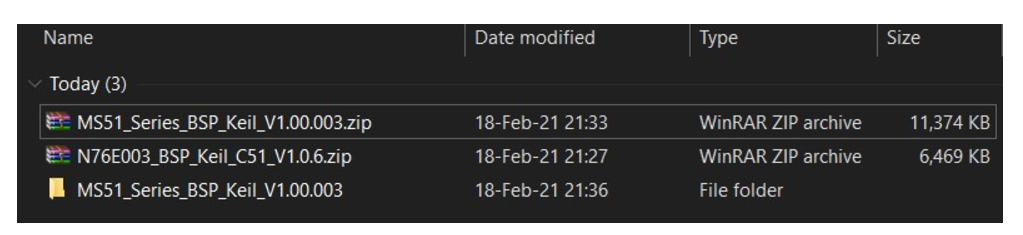
Access folder MS51_Series_BSP_Keil_V1.00.003 (extracted) from “The Board Support Package (BSP) Keil for MS51 Devices” downloaded from step 3
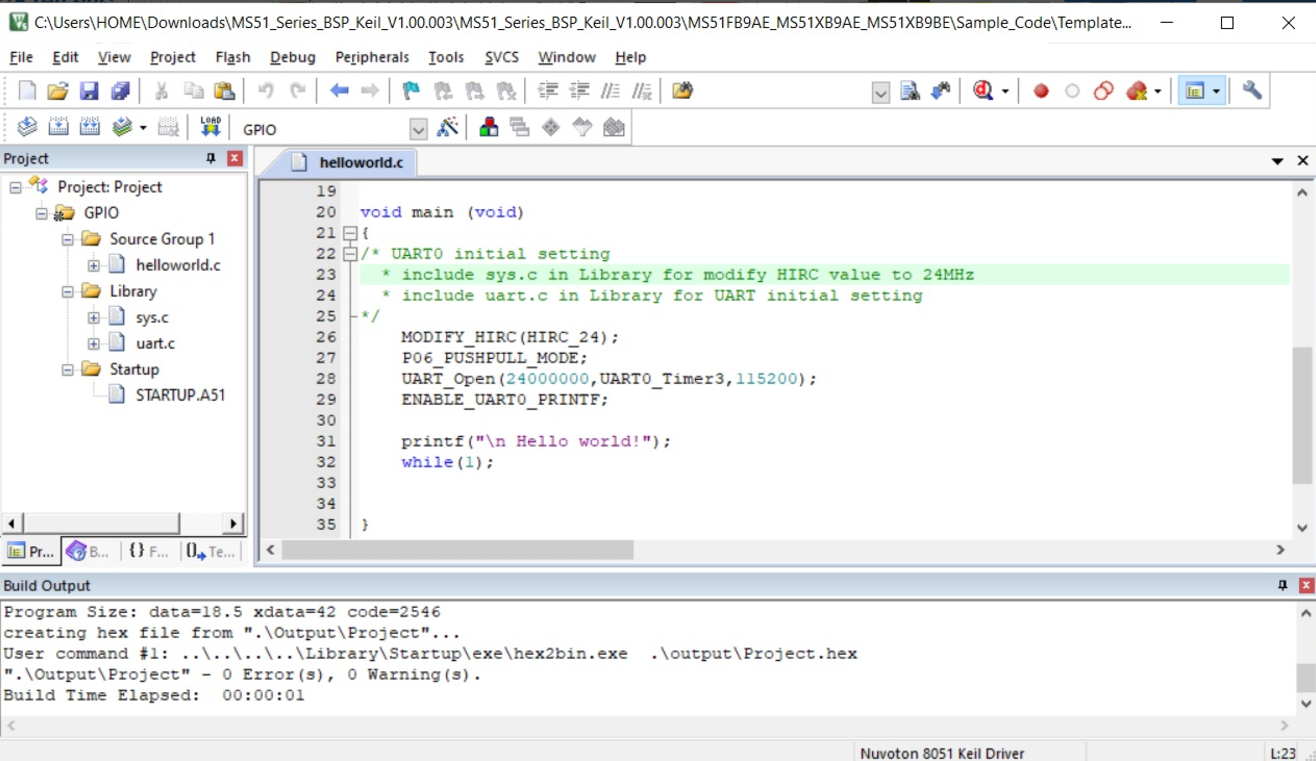
Open Project and press the Build button (F7)
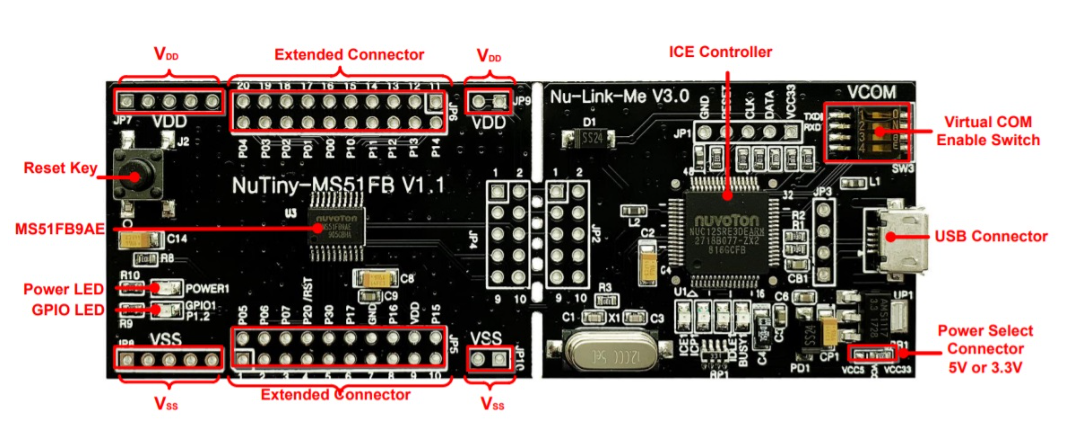
- Connect and Load the firmware into the kit
- Note:
- To have the Virtual Com Port lever 4 Switch on the Kit to On
- Nu-Link Virtual Com Port needs to enable DTR On to receive UART
Open COM Port and check: In this case, I use the Hercules terminal to check Com Port baudrate 115200
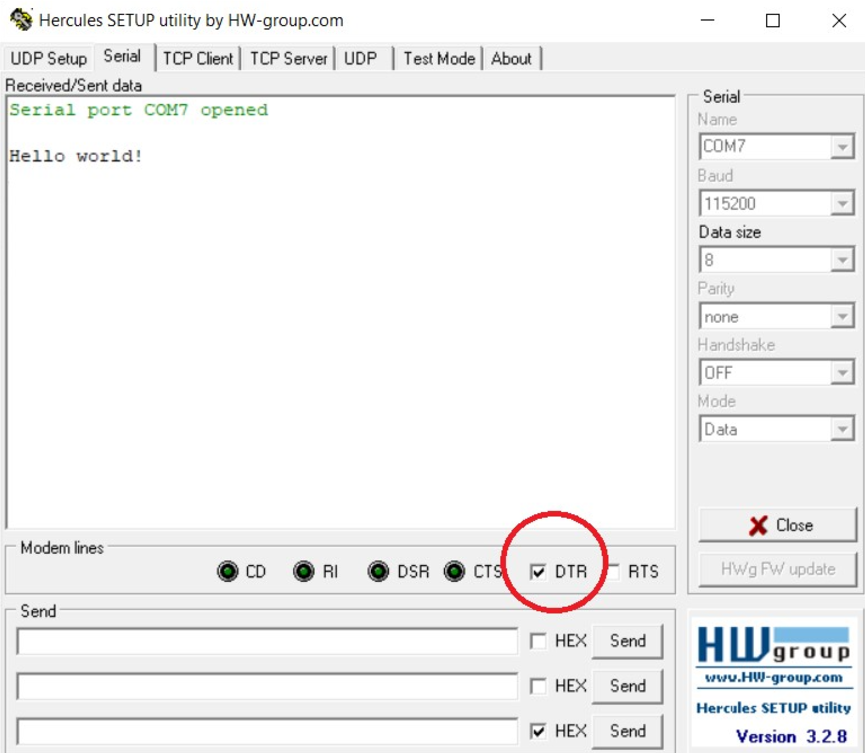
After successfully loading the above steps, you will become Hello World! Print via the Com Port.