
 English
Environment Setup Guide
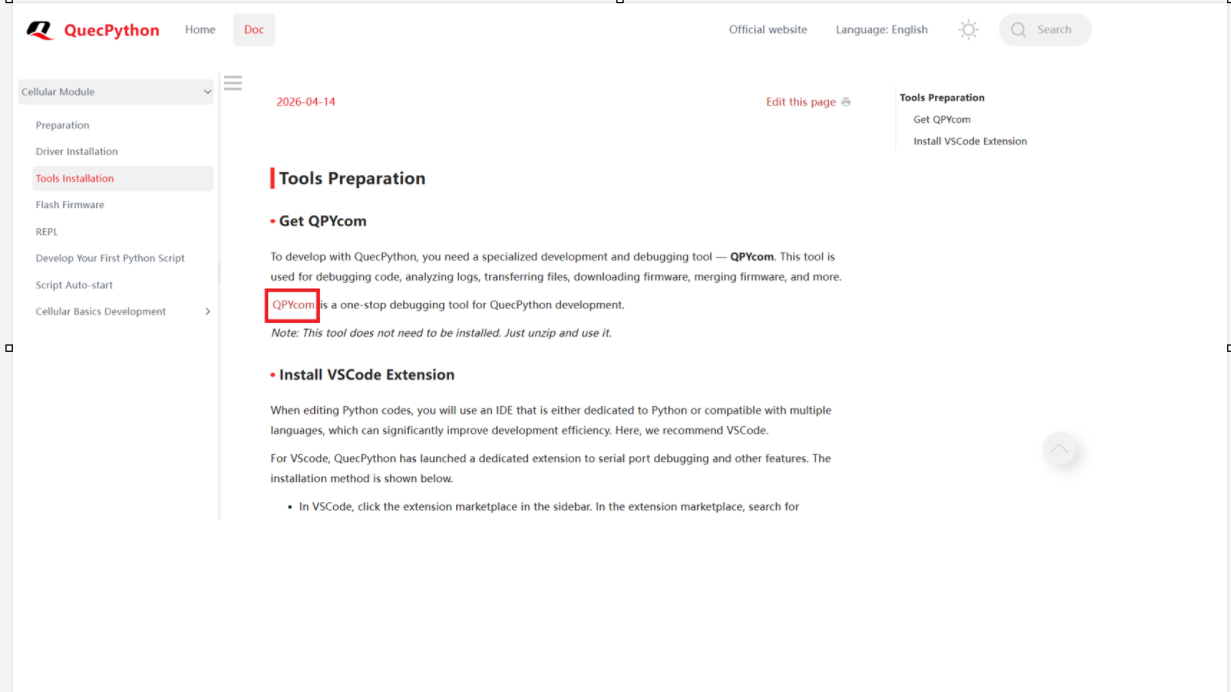
Download the QPYcom official tool from the QuecPython homepage and install the driver for the EG800K
QPYcom installation link: https://developer.quectel.com/doc/quecpython/Getting_started/en/4G/tools_prepare.html
Install the Driver
Driver installation link: https://developer.quectel.com/doc/quecpython/Getting_started/en/4G/driver_prepare.html
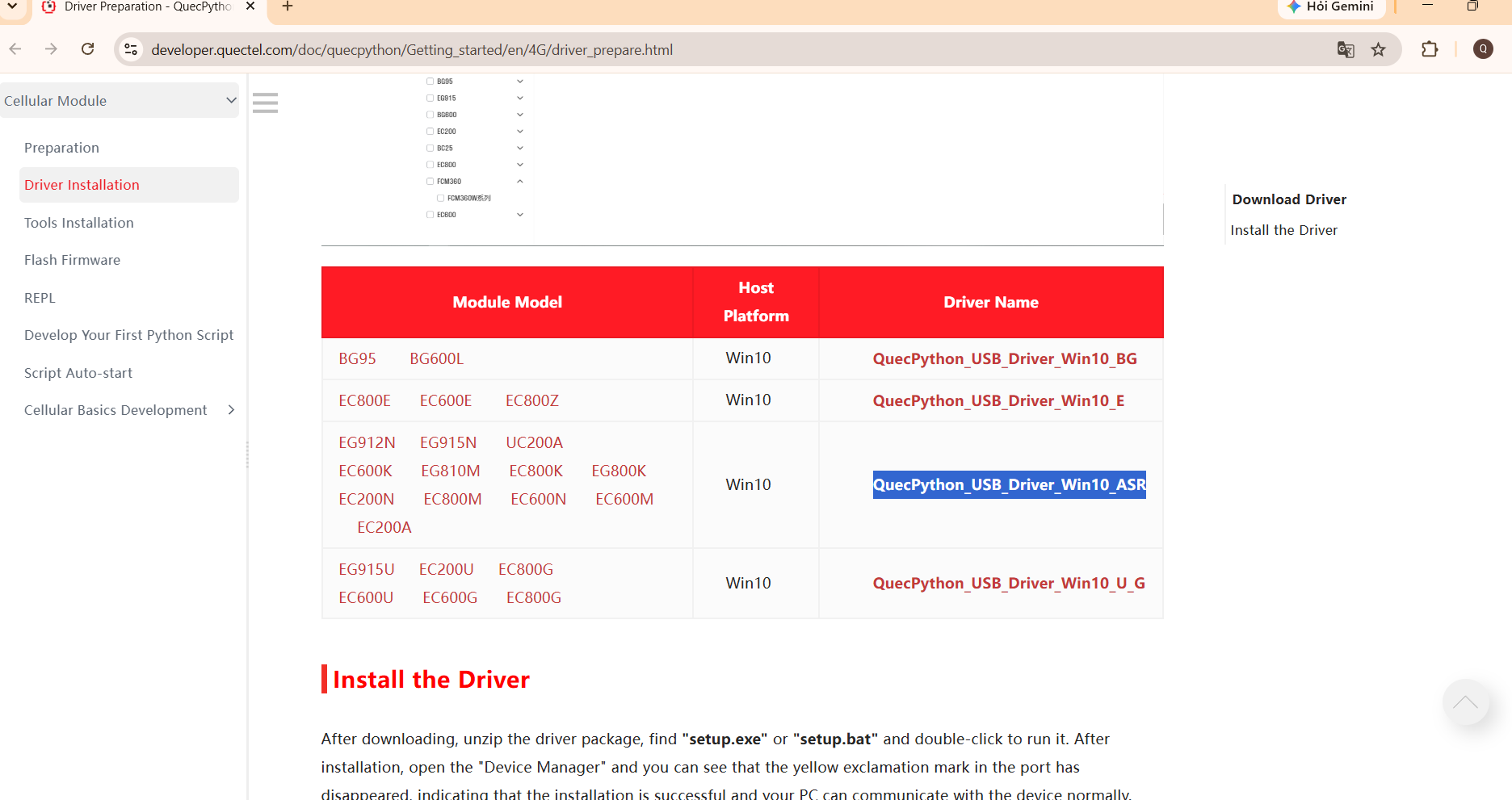
Select QuecPython_USB_Driver_WIn10_ASR
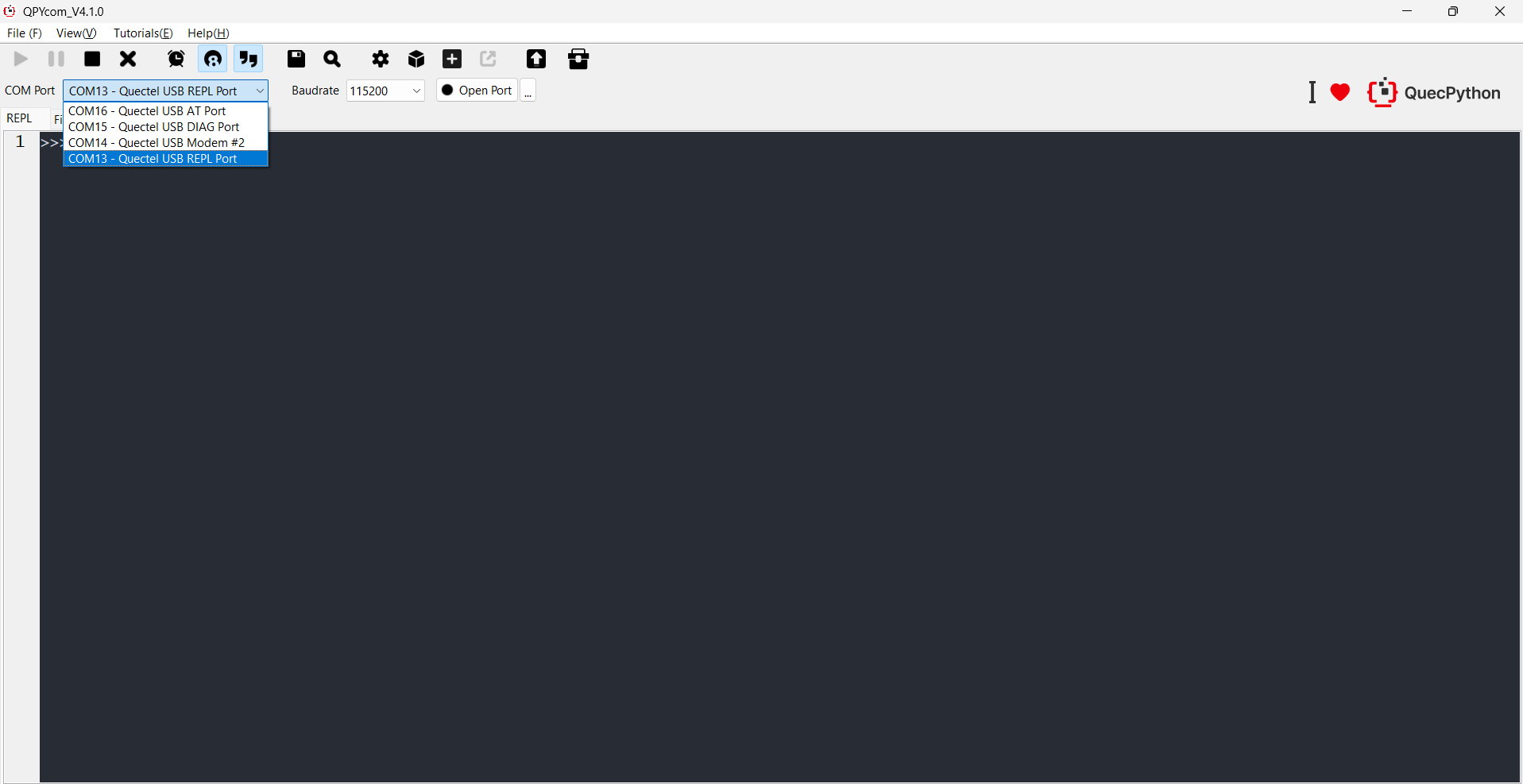
Open QPYcom, select the correct COM port – Quectel USB REPL Port (the default baudrate is usually 115200) and then click Open Port
Switch to the File tab to manage the .py files on the module (usr/ folder).
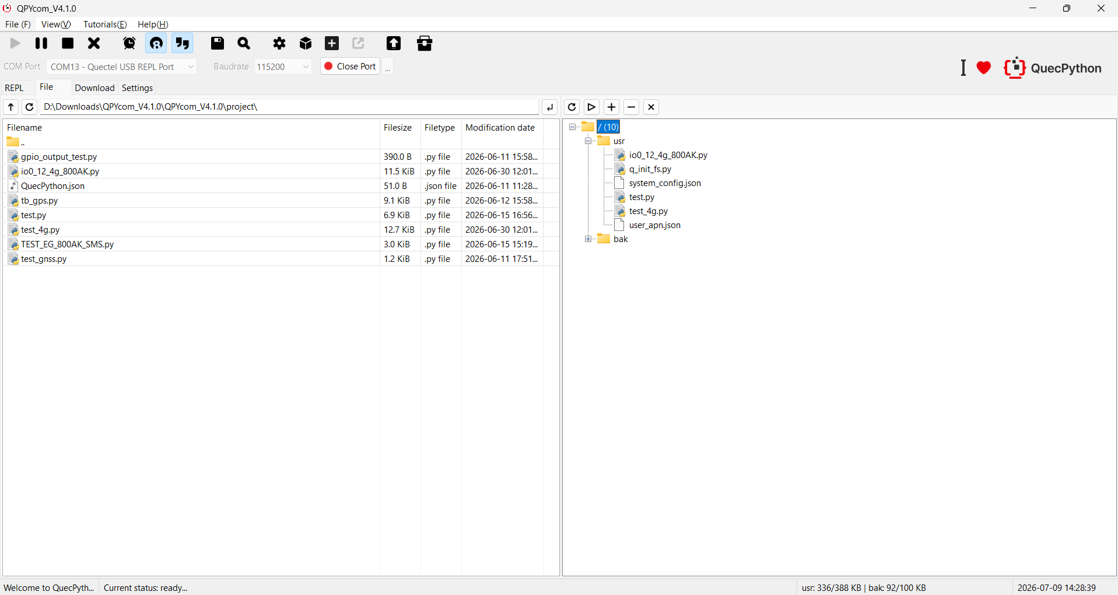
Drag and drop the Python script file on the left to the usr section on the right to run the script.
Reference https://developer.quectel.com/doc/quecpython/