
 English
Connect the EG800K GPS to the ThingsBoard via MQTT
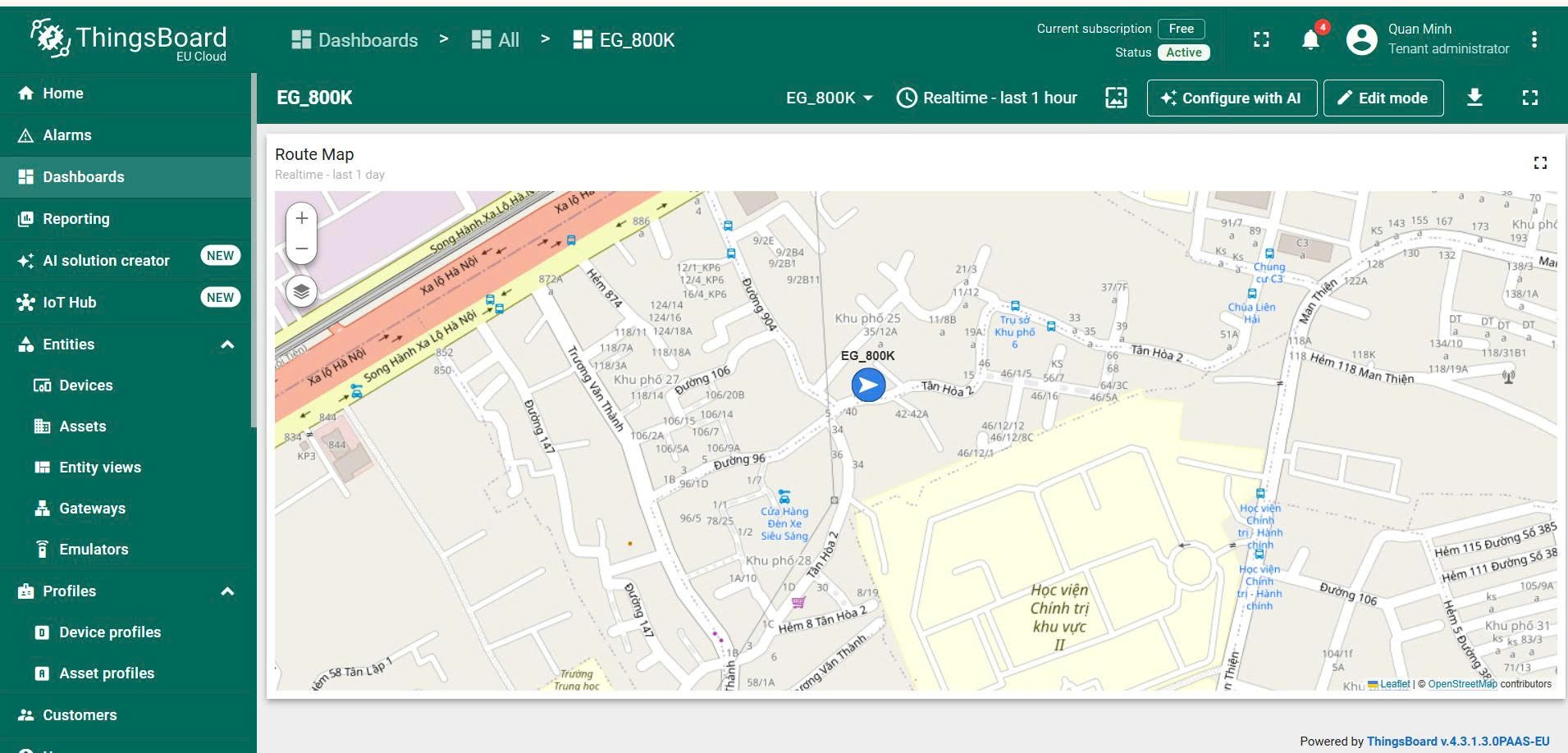
This document instructs you to bring the GNSS/GPS location data read from the Quectel EG800K module to the ThingsBoard platform (using the cloud version) via the MQTT protocol, to be displayed directly on the map dashboard (Route Map/Map widget). The document follows the GNSS/GPS section presented earlier — if you don’t already know how to read and parse NMEA data from, it’s a good idea to read through that section first.quecgnss
1. Architectural overview
Module EG800K
   ├─ quecgnss  → đọc và parse tọa độ từ vệ tinh (NMEA)
   ├─ dataCall  → thiết lập kênh dữ liệu 4G để có Internet
   └─ umqtt     → đóng gói tọa độ thành JSON, publish lên broker MQTT của ThingsBoard
                          │
                          ▼
              ThingsBoard Cloud (MQTT Broker, port 1883/8883)
                          │
                          ▼
         Dashboard: widget Map/Route Map hiển thị vị trí theo thời gian thực
In essence, the module acts as an MQTT Client, while ThingsBoard acts as an MQTT Broker. The module only needs to publish (no need to subscribe) telemetry data to the specified topic, ThingsBoard will save itself to the time-series database and re-assign it to the widgets on the dashboard.
2. Prepare on ThingsBoard: create a Device and get an Access Token
- Log in to ThingsBoard Cloud (depending on the region registered — e.g. EU Cloud is, US is).
mqtt.eu.thingsboard.cloudmqtt.thingsboard.cloud - Go to the Entities → Devices menu, click the + (plus sign) button → Add new device.
- Name the device (for example), select the default Device profile (), and then click Add.
EG_800Kdefault - Click on the device you just created to open the details panel. Select Manage credentials (or use the Check connectivity dialog that appears immediately after creating the device) to obtain credentials.
- With the default authentication type Access Token, click Copy access token — this string (for example) is the value to be used in the code.
yN1ryMJTqNgTqHvLZOyuMQTT_USER
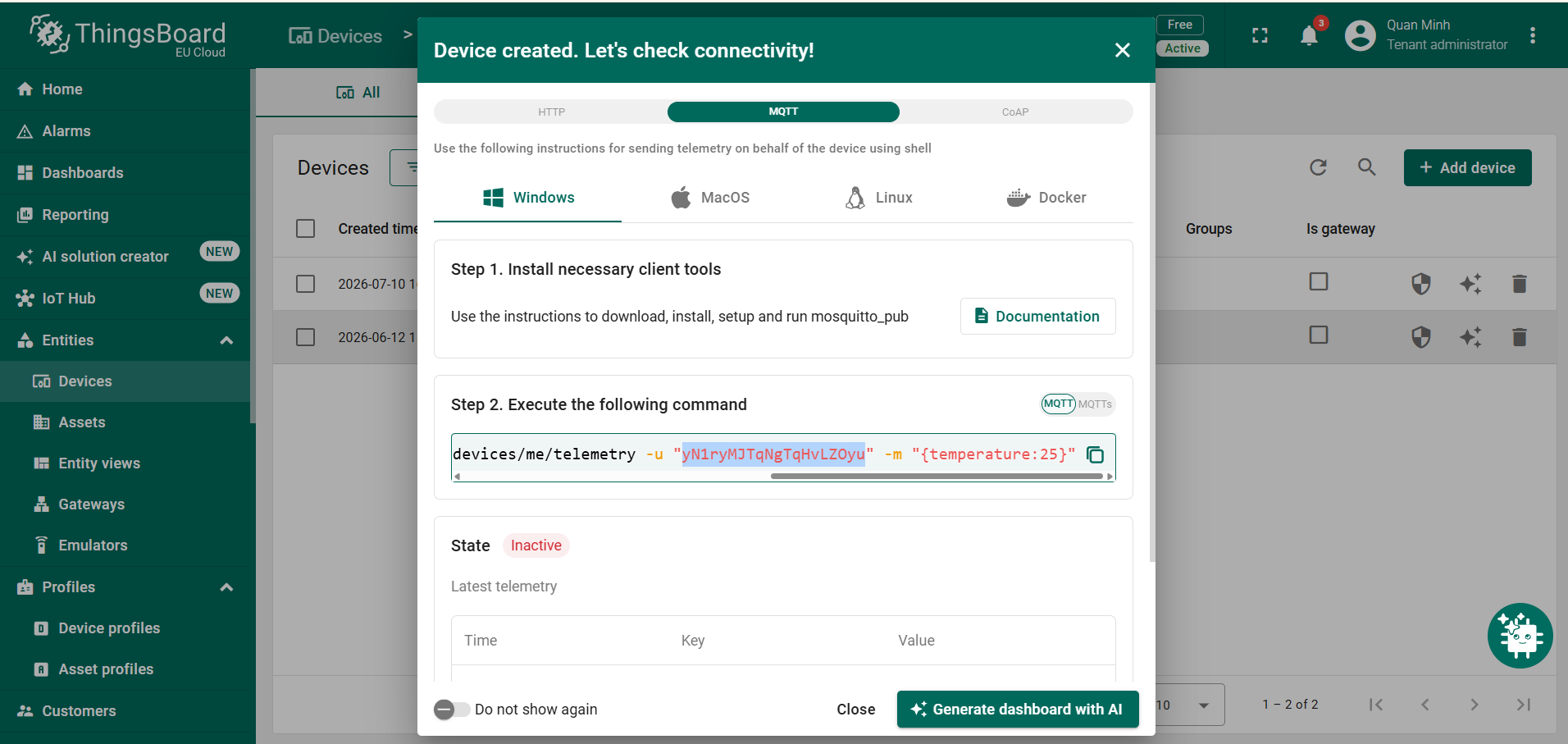
Authentication mechanism: with Access Token, the token plays the role of MQTT username, while the MQTT password is blank. No further configuration is required on the broker — any client that connects the correct host/port to the correct token will be recognized by ThingsBoard as the corresponding device.
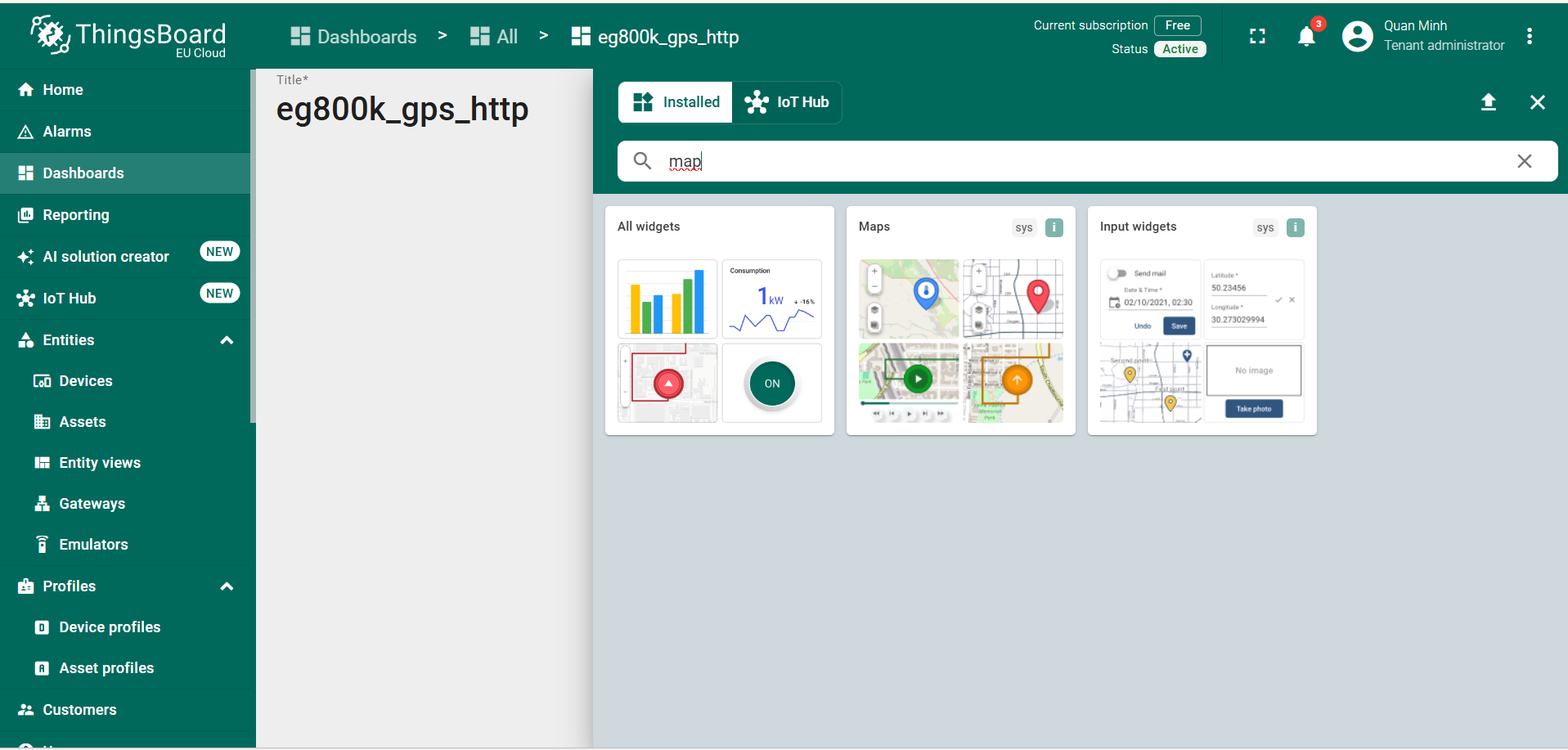
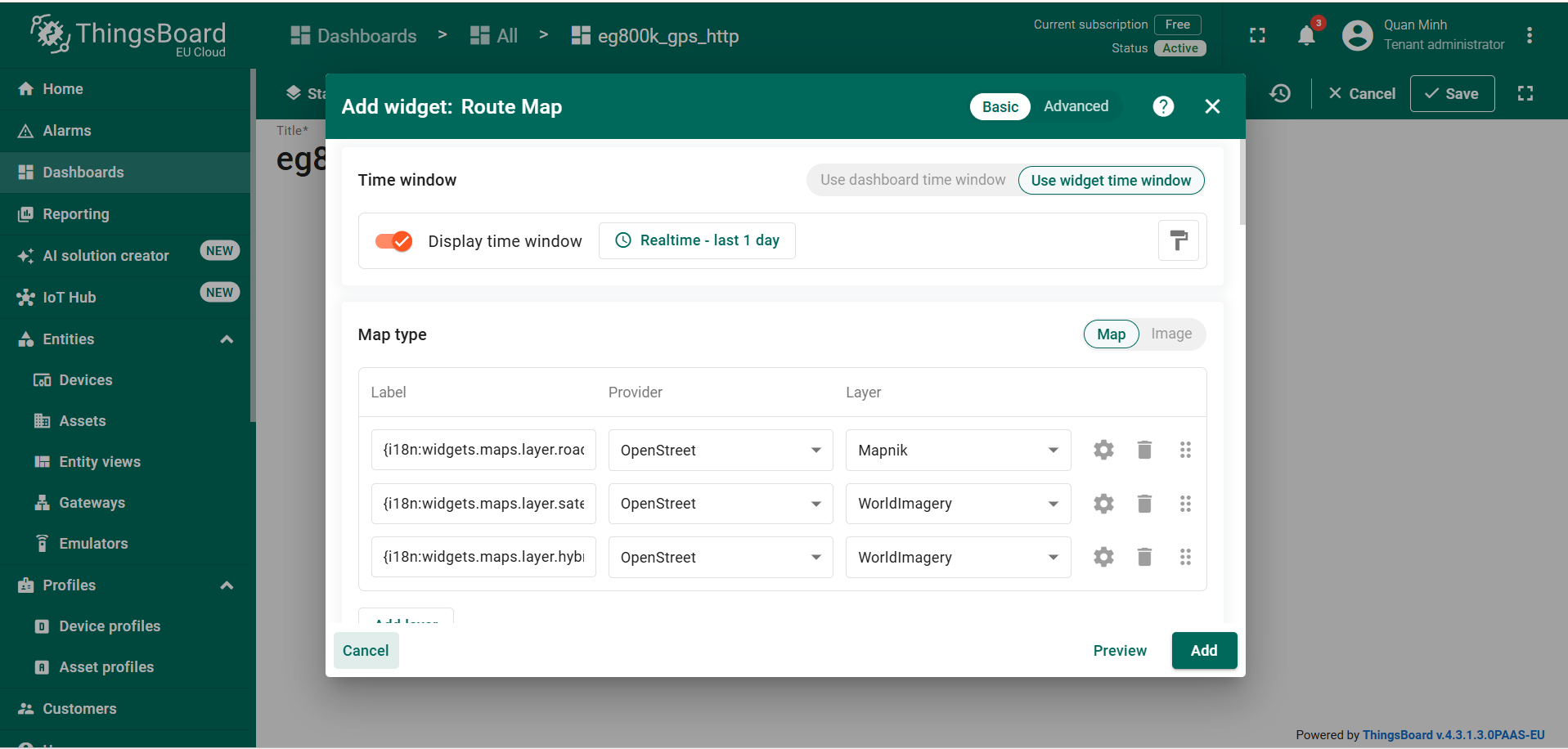
- After the device starts sending data, go to Dashboards → create a new dashboard (or open an existing dashboard) → add a Map or Route Map type widget, assign the data source as the device just created, select the key / as the display coordinates.
latitudelongitude
3. MQTT protocol and related APIs
3.1. Connection Parameters to ThingsBoard MQTT Broker
| Parameters | Values |
|---|---|
| Host | By region, for example mqtt.eu.thingsboard.cloud |
| Port | 1883 (plain, unencrypted) or (MQTT over TLS)8883 |
| Username | Device Access Token |
| Password | Leave blank |
| Client ID | Arbitrarily, as long as it does not coincide with other clients that are connecting at the same time (usually use the IMEI module to ensure uniqueness) |
3.2. Modules on QuecPythonumqtt
MQTTClient(client_id, server, port=0, user=None, password=None, keepalive=0, ssl=False, ssl_params={})
Initialize the MQTT client object (not actually connected to the broker at this step).
| Parameter | Description |
|---|---|
client_id | Client identifier, string form |
server | Host address of the broker |
port | Connection Port (0 = default according to ssl) |
user, password | Credentials—with ThingsBoard Access Token: = token, userpassword = None |
ssl | True if using MQTT over TLS (port 8883) |
mqtt_client.connect(clean_session=True)
Establish a TCP connection and handshake the MQTT protocol to the declared broker. Return/depending on whether the previous session is saved (the parameter will always start a new session).TrueFalseclean_session=True
mqtt_client.publish(topic, msg, retain=False, qos=0)
Send a message (bytes or string) to the specifier.msgtopic
mqtt_client.disconnect()
Disconnect from the broker, freeing up resources.
3.3. Topic and Format of ThingsBoard Telemetry Payload
ThingsBoard prescribes a set of topics for devices connected via MQTT, the most common are:
| Operation | Standard Topics | Shortened Topics (from version 3.5+) |
|---|---|---|
| Publish telemetry | v1/devices/me/telemetry | v2/t |
| Publish client attributes | v1/devices/me/attributes | v2/a |
- Payloads are flat key-value JSON, e.g. . .
{"latitude": 10.762622, "longitude": 106.660172, "altitude": 12.4, "satellites": 8} - Sending times is not required—if missing, ThingsBoard itself assigns the time to receive the newsletter as an archive timestamp.
ts - The key name in JSON is the telemetry key name displayed on ThingsBoard — so it’s a good idea to set the default so that the map widgets (Map, Route Map, etc.) recognize themselves without reconfiguring the field name.
latitudelongitude
4. Processing sequence (logical flow)
- Check the SIM—must be equal before doing anything network-related.
sim.getStatus()1 - 4G network connection—network registration(), APN configuration by carrier, and PDP context enabled(/+/), wait and confirm there is a valid IP via .
net.getState()dataCall.setApn()setPDPContext()dataCall.start()activate()dataCall.getInfo() - Initialize GNSS — then, wait a few seconds for the engine to start exporting NMEA data.
quecgnss.init()quecgnss.gnssEnable(1) - Connect MQTT to ThingsBoard — created with an access token, call . There should be a retry mechanism several times if the first time fails (due to DNS not resolving in time, network flickering, etc.).
MQTTClientuserconnect() - Periodic publish loop:
- Read and parse the NMEA to get the coordinates (/, fall back with / if there is no valid GGA sentence yet).
$GNGGA$GPGGA$GNRMC$GPRMC - Convert coordinates rough () to decimal degree.
ddmm.mmmm - JSON packing and up.
publish()v1/devices/me/telemetry - If you don’t have a valid GPS fix, you can still send a status message (for example) so that the dashboard knows that the device is alive even if it doesn’t have coordinates.
{"gps_valid": false} sleep()according to the configuration cycle before iteration.
- Read and parse the NMEA to get the coordinates (/, fall back with / if there is no valid GGA sentence yet).
- Handle MQTT disconnection loss — if an error (exception), try again before resuming the loop, avoiding stopping the program completely because of a temporary disconnection.
publish()connect() - Cleanup at End — disable GNSS () and call the MQTT client in the block, ensuring resources are freed up whether the program is stopped due to an error or by an active user interruption (Ctrl+C).
quecgnss.gnssEnable(0)disconnect()finally
5. Source code demo
Source: tb_gps.py
- The configuration is encapsulated at the top of the file — only two variables (access tokens) and need to be adjusted when deploying, the rest (host, port, topic) fixed according to ThingsBoard.
MQTT_USERPUBLISH_INTERVAL convert_to_decimal(coord, direction)— handles the difference between the degree format of latitude (the first 2 digits are degrees) and longitude (the first 3 digits are degrees) through, then adds minute fractions divided by 60; Invert the sign if the direction is / to get the standard decimal degree coordinates (negative/positive in hemispheres).deg_lenSWget_location()has a two-layer redundancy mechanism — parse priority / (with satellite number, altitude); If not, try the next sentence / (check the status of the correct correct validity). This increases the likelihood of having coordinates even if an NMEA sentence type is missing from the readable buffer.$GNGGA$GPGGA$GNRMC$GPRMCp[2] == 'A'connect_mqtt()try to connect up to 3 times, with a separate DNS check () first to distinguish errors caused by domain name resolution (usually due to 4G not having DNS) from errors caused by MQTT/wrong token handshakes.usocket.getaddrinfoclient_idis paired from IMEI () to ensure that multiple devices are connected to a single ThingsBoard instance — avoiding the case of two devices using the same client ID causing the broker to repeatedly disconnect from the old session.modem.getDevImei()The main()loop has a clear progress log — it counts the number of messages sent, the number of GPS fixes, and only prints the “no GPS fix” log periodically (every 10 rounds) instead of each loop, reducing log noise when debugging in the field while waiting for a satellite to be captured.
6. Notes on actual implementation
- Do not commit access tokens directly to the source code publicly — the demo file is hard-labeled at the top of the file for the convenience of testing, but when uploading the code to a public repository, the tokens should be separated into a separate configuration file (not committed) or read from the module’s external storage.
MQTT_USER - Consider using MQTT over TLS (port 8883) instead of plain MQTT (port 1883) when implementing the live product, as in plain mode, the access token (which acts as the authentication password) is sent in an unencrypted form.
- Don’t publish too thickly — too short and consumes 4G data capacity, and can reach the rate limit of the ThingsBoard service plan you are using.
PUBLISH_INTERVAL - Name the JSON key to match the field name that the map widget expects (, which is a common default) so that you don’t have to reconfigure the data key when mounting the widget on the dashboard.
latitudelongitude - The client ID must be unique across the entire tenant ThingsBoard — if multiple devices accidentally share the same client ID, the broker will repeatedly kick out the old connection when the new device connects.